
Digital Signage & IPTV contractor resource
Digital Signage and IPTV Design Software for Deployment Plans
Coordinate displays, players, mounts, sources, head-end, distribution, network, content, control, power, cable, service, quantities, and ownership by location. This practical guide explains what to document, how to structure the drawing set, where coordination fails, what the proposal must carry, and how to evaluate software against a real contractor workflow.
What digital signage and IPTV design software must solve
Someone searching for digital signage and IPTV design software is rarely looking for a generic drawing program. The practical need is a controlled way to translate customer intent and field conditions into a design another estimator, installer, reviewer, programmer, IT administrator, and customer can understand. The software must help the contractor preserve decisions as the project moves from discovery to proposal and from approved scope to installation.
For digital signage & iptv, the core promise is specific: Coordinate displays, players, mounts, sources, head-end, distribution, network, content, control, power, cable, service, quantities, and ownership by location. That means the plan cannot be an attractive background with unconnected icons. Each important item needs a stable identity and a reason to exist. Its location must agree with schedules and schematics; its infrastructure must be visible; its quantity must reach the estimate; and its open decisions must be owned.
The best result is query-complete rather than keyword-heavy. A customer should be able to use this page to understand the deliverables, ask better questions, recognize missing scope, and select a workflow. A contractor should be able to turn the same guidance into a survey checklist, drawing outline, coordination meeting agenda, estimating review, and acceptance plan.
The design record should answer six groups of questions
The table below connects the design scope to a reviewable output. The exact document set depends on project size, contract, jurisdiction, risk, and the responsible designer. The principle stays the same: put information where it can be checked and cross-reference it with stable identifiers.
| Decision group | What to document | Useful output |
|---|---|---|
| Displays, projectors | Displays, projectors, kiosks, video walls, menu boards, room signs, wayfinding, clocks, confidence monitors, and specialty endpoints | Endpoint and display floor plan |
| Media players, decoders | Media players, decoders, tuners, encoders, servers, content management, cloud services, schedules, zones, templates, and permissions | Display/player/mount schedule |
| Mounts, recesses | Mounts, recesses, enclosures, trim, cooling, ventilation, access, structure, viewing, glare, orientation, and replacement paths | Content and signal-flow diagram |
| Signal transport, AV-over-IP | Signal transport, AV-over-IP, IPTV, RF, HDMI, fiber, copper, wireless, switching, multicast, VLAN, internet, and bandwidth | Network/power/service matrix |
| Power, receptacles | Power, receptacles, UPS, control, scheduling, sensors, monitoring, remote reboot, device management, security, and update responsibilities | CMS zone and permissions map |
| Content creation/import, rights | Content creation/import, rights, accessibility, emergency messages, acceptance media, staff training, documentation, spares, and support | Commissioning and content-acceptance checklist |
Recommended deliverables
Endpoint and display floor plan
Endpoint and display floor plan. Record the value, source, verification status, responsible party, and revision so another person can audit the decision.
Display/player/mount schedule
Display/player/mount schedule. Show the relationship on the correct drawing or schedule instead of burying it in a note that cannot be traced.
Content and signal-flow diagram
Content and signal-flow diagram. Separate observed conditions from design assumptions and customer choices; price uncertainty as an allowance or exclusion when needed.
Network/power/service matrix
Network/power/service matrix. Carry stable identifiers into the takeoff, proposal, installation record, test evidence, and closeout documents.
CMS zone and permissions map
CMS zone and permissions map. Review capacity, compatibility, access, serviceability, future change, and failure behavior before the product is committed.
Commissioning and content-acceptance checklist
Commissioning and content-acceptance checklist. Assign ownership at the interface with architecture, electrical, IT, operations, other vendors, and the authority having jurisdiction.
A floor plan is usually the location index, not the entire design. When lines or notes make it hard to answer a question, move the information to the proper schedule, schematic, riser, elevation, matrix, narrative, or calculation worksheet. Then place a clear reference on both documents so the reader can move between them.
Digital Signage & IPTV project review worksheet
Use these six prompts during discovery, drawing review, estimating, and handoff. Write the answer in project language, identify its source, and mark whether it is verified, selected, assumed, excluded, or assigned to another party.
1. Survey evidence
Review this system-specific scope: Displays, projectors, kiosks, video walls, menu boards, room signs, wayfinding, clocks, confidence monitors, and specialty endpoints.
Connect it to this coordination condition: Architecture, millwork, wall construction, structure, recesses, glazing, finishes, public circulation, sightlines, accessibility, and permits. The review is complete only when the plan, Endpoint and display floor plan, quantity basis, responsibility, and verification record describe the same decision. If the answer depends on a field condition, product selection, authority, owner policy, or third-party system, name that dependency instead of converting it into an unsupported promise.
2. Drawing decision
Review this system-specific scope: Media players, decoders, tuners, encoders, servers, content management, cloud services, schedules, zones, templates, and permissions.
Connect it to this coordination condition: Electrical power, circuits, receptacles, UPS, surge, disconnects, heat, ventilation, emergency power, and maintenance access. The review is complete only when the plan, Display/player/mount schedule, quantity basis, responsibility, and verification record describe the same decision. If the answer depends on a field condition, product selection, authority, owner policy, or third-party system, name that dependency instead of converting it into an unsupported promise.
3. Infrastructure dependency
Review this system-specific scope: Mounts, recesses, enclosures, trim, cooling, ventilation, access, structure, viewing, glare, orientation, and replacement paths.
Connect it to this coordination condition: IT switching, multicast, VLANs, QoS, Wi-Fi, bandwidth, addressing, firewall, cloud access, identity, monitoring, and security. The review is complete only when the plan, Content and signal-flow diagram, quantity basis, responsibility, and verification record describe the same decision. If the answer depends on a field condition, product selection, authority, owner policy, or third-party system, name that dependency instead of converting it into an unsupported promise.
4. Commercial consequence
Review this system-specific scope: Signal transport, AV-over-IP, IPTV, RF, HDMI, fiber, copper, wireless, switching, multicast, VLAN, internet, and bandwidth.
Connect it to this coordination condition: Marketing and operations for content ownership, templates, schedules, approvals, rights, accessibility, emergency use, and analytics. The review is complete only when the plan, Network/power/service matrix, quantity basis, responsibility, and verification record describe the same decision. If the answer depends on a field condition, product selection, authority, owner policy, or third-party system, name that dependency instead of converting it into an unsupported promise.
5. Field verification
Review this system-specific scope: Power, receptacles, UPS, control, scheduling, sensors, monitoring, remote reboot, device management, security, and update responsibilities.
Connect it to this coordination condition: AV and broadcast vendors for sources, encoding, IPTV, audio, control, tuning, licensing, compatibility, and commissioning. The review is complete only when the plan, CMS zone and permissions map, quantity basis, responsibility, and verification record describe the same decision. If the answer depends on a field condition, product selection, authority, owner policy, or third-party system, name that dependency instead of converting it into an unsupported promise.
6. Acceptance evidence
Review this system-specific scope: Content creation/import, rights, accessibility, emergency messages, acceptance media, staff training, documentation, spares, and support.
Connect it to this coordination condition: Facilities for cleaning, lift access, replacements, spares, support, warranties, remote service, recordkeeping, and lifecycle planning. The review is complete only when the plan, Commissioning and content-acceptance checklist, quantity basis, responsibility, and verification record describe the same decision. If the answer depends on a field condition, product selection, authority, owner policy, or third-party system, name that dependency instead of converting it into an unsupported promise.
Trace one digital signage & iptv decision through the record
For a retail and hospitality venue with menu boards, promotional displays, meeting-room signs, live television, and a centrally managed content platform, use the following chain as a document-control exercise. The entries are not generic fields: each one ties a discipline-specific design question to a deliverable and a commercial or field consequence.
| Design question | Primary record | Traceability test |
|---|---|---|
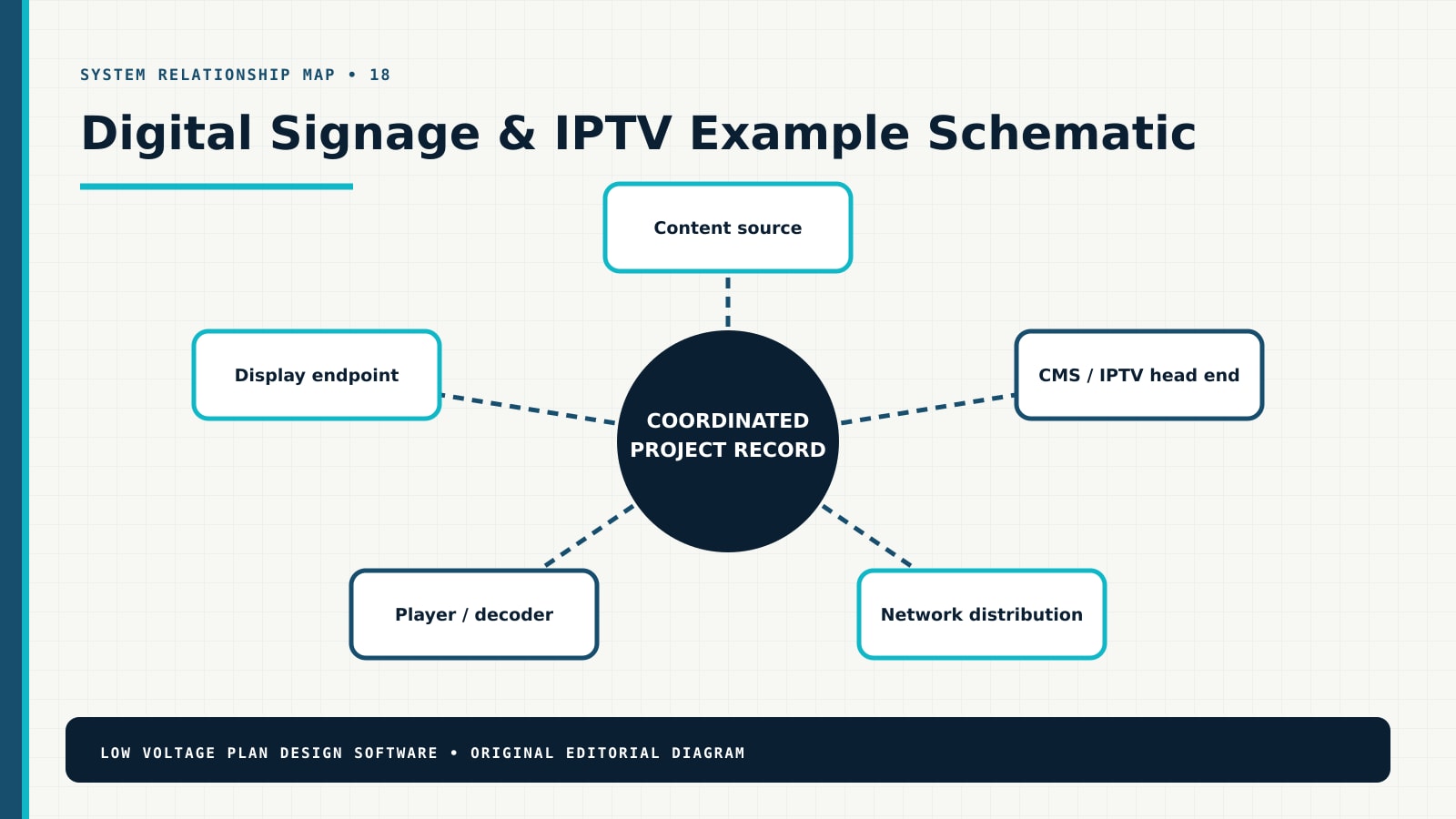
| Displays, projectors, kiosks, video walls, menu boards, room signs, wayfinding, clocks, confidence monitors, and specialty endpoints | Endpoint and display floor plan | Find the matching Content source relationship, then identify the quantity, owner, verification status, and effect of a revision to Architecture, millwork, wall construction, structure, recesses, glazing, finishes, public circulation, sightlines, accessibility, and permits. |
| Media players, decoders, tuners, encoders, servers, content management, cloud services, schedules, zones, templates, and permissions | Display/player/mount schedule | Find the matching CMS / IPTV head end relationship, then identify the quantity, owner, verification status, and effect of a revision to Electrical power, circuits, receptacles, UPS, surge, disconnects, heat, ventilation, emergency power, and maintenance access. |
| Mounts, recesses, enclosures, trim, cooling, ventilation, access, structure, viewing, glare, orientation, and replacement paths | Content and signal-flow diagram | Find the matching Network distribution relationship, then identify the quantity, owner, verification status, and effect of a revision to IT switching, multicast, VLANs, QoS, Wi-Fi, bandwidth, addressing, firewall, cloud access, identity, monitoring, and security. |
| Signal transport, AV-over-IP, IPTV, RF, HDMI, fiber, copper, wireless, switching, multicast, VLAN, internet, and bandwidth | Network/power/service matrix | Find the matching Player / decoder relationship, then identify the quantity, owner, verification status, and effect of a revision to Marketing and operations for content ownership, templates, schedules, approvals, rights, accessibility, emergency use, and analytics. |
| Power, receptacles, UPS, control, scheduling, sensors, monitoring, remote reboot, device management, security, and update responsibilities | CMS zone and permissions map | Find the matching Display endpoint relationship, then identify the quantity, owner, verification status, and effect of a revision to AV and broadcast vendors for sources, encoding, IPTV, audio, control, tuning, licensing, compatibility, and commissioning. |
| Content creation/import, rights, accessibility, emergency messages, acceptance media, staff training, documentation, spares, and support | Commissioning and content-acceptance checklist | Find the matching Content source relationship, then identify the quantity, owner, verification status, and effect of a revision to Facilities for cleaning, lift access, replacements, spares, support, warranties, remote service, recordkeeping, and lifecycle planning. |
The chain is successful when a reviewer can move in both directions: from a customer outcome to the drawing and proposal, and from a field quantity back to the approved purpose and evidence. If either direction fails, add the missing identity, cross-reference, schedule field, assumption, or responsibility before approval.
A contractor workflow from requirement to accepted scope
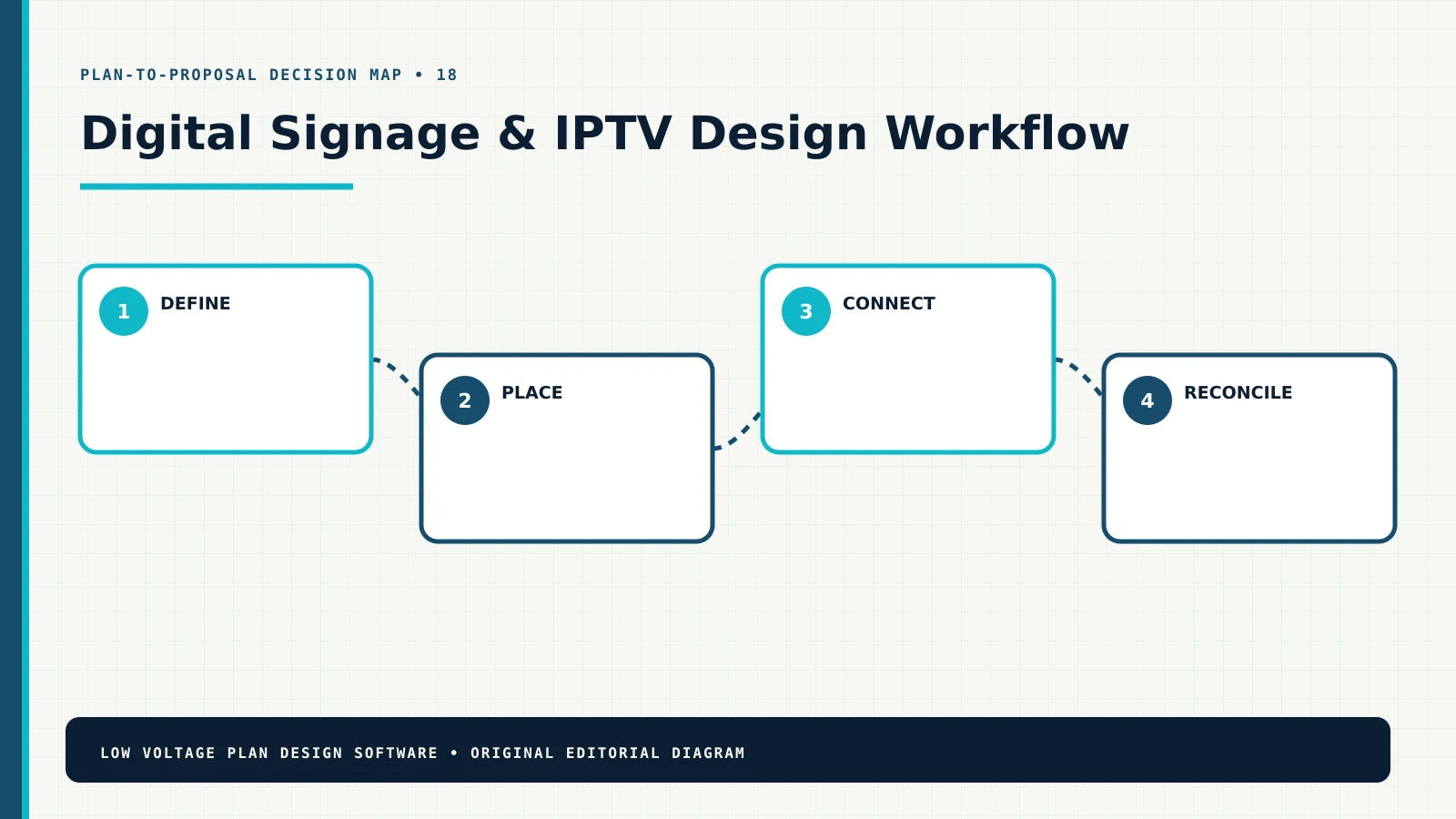
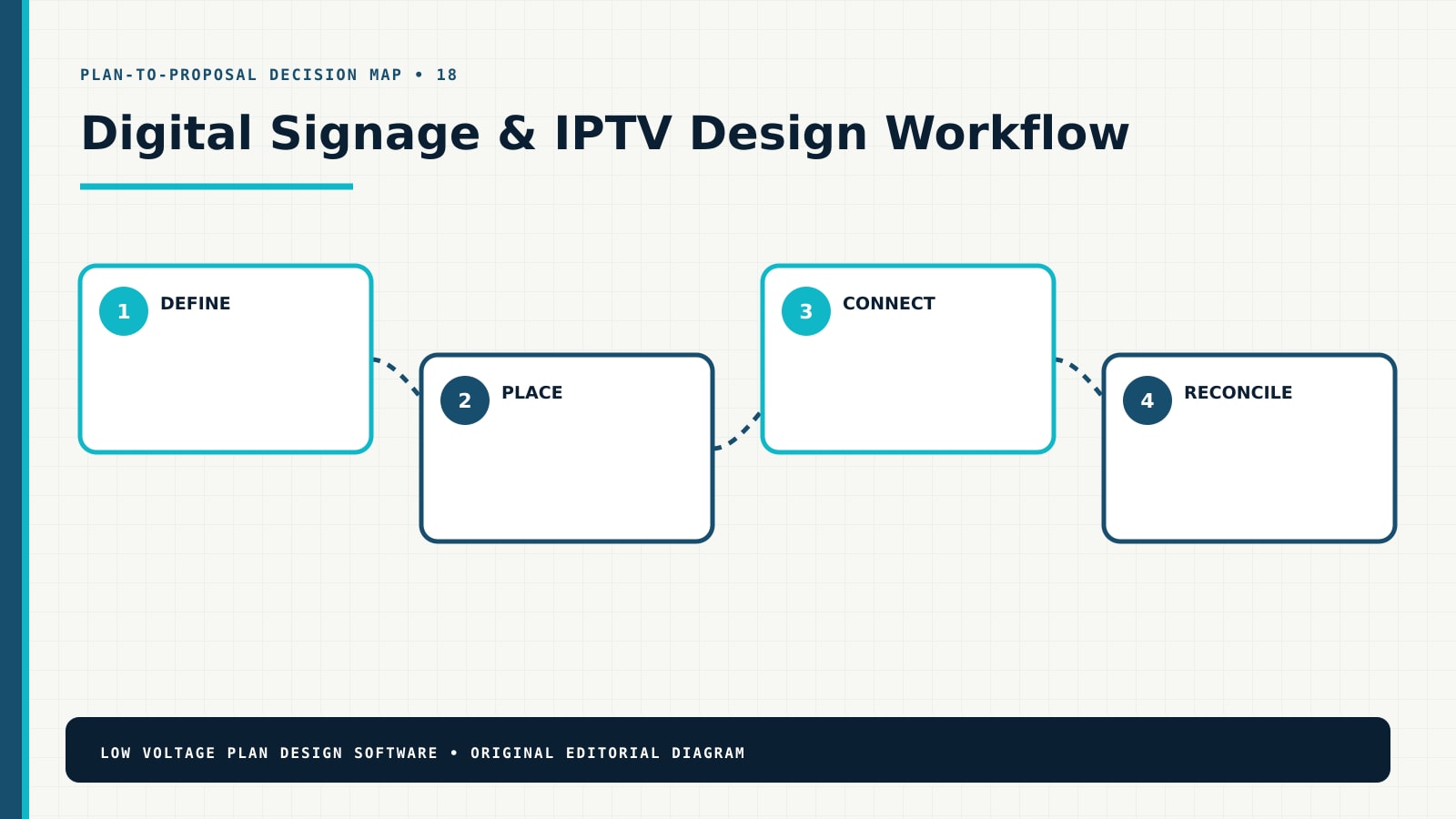
This four-stage sequence keeps design detail proportional to the decision. Early work can show intent and uncertainty. Later work should resolve product-specific interfaces, quantities, installation methods, configuration, testing, and handoff. Do not imply that an early sales layout is permit-ready, engineered, or field-verified unless it actually is.
- Define the operating outcome.Define audiences, locations, content types, sources, schedules, zones, accessibility, emergency messaging, control, analytics, and support expectations. At this stage, reject anonymous quantities: each important element needs a location, purpose, relationship, status, or documented basis.
- Place and identify the system.Place displays, projectors, kiosks, speakers, cameras, tuners, players, mounts, enclosures, and service clearances against verified surfaces. At this stage, reject anonymous quantities: each important element needs a location, purpose, relationship, status, or documented basis.
- Connect infrastructure and ownership.Map sources, encoders, servers, cloud, players, decoders, AV-over-IP, RF/IPTV, switches, VLANs, Wi-Fi, licenses, power, and control. At this stage, reject anonymous quantities: each important element needs a location, purpose, relationship, status, or documented basis.
- Reconcile scope and handoff.Reconcile equipment, subscriptions, mounts, cable, network, content onboarding, configuration, testing, training, spares, and proposal scope. At this stage, reject anonymous quantities: each important element needs a location, purpose, relationship, status, or documented basis.
Coordination questions to close before the proposal
Architecture, millwork, wall construction, structure, recesses, glazing, finishes, public circulation, sightlines, accessibility, and permits
Architecture, millwork, wall construction, structure, recesses, glazing, finishes, public circulation, sightlines, accessibility, and permits. Record the value, source, verification status, responsible party, and revision so another person can audit the decision.
Electrical power, circuits, receptacles, UPS, surge, disconnects, heat, ventilation, emergency power, and maintenance access
Electrical power, circuits, receptacles, UPS, surge, disconnects, heat, ventilation, emergency power, and maintenance access. Show the relationship on the correct drawing or schedule instead of burying it in a note that cannot be traced.
IT switching, multicast, VLANs, QoS, Wi-Fi, bandwidth, addressing, firewall, cloud access, identity, monitoring, and security
IT switching, multicast, VLANs, QoS, Wi-Fi, bandwidth, addressing, firewall, cloud access, identity, monitoring, and security. Separate observed conditions from design assumptions and customer choices; price uncertainty as an allowance or exclusion when needed.
Marketing and operations for content ownership, templates, schedules, approvals, rights, accessibility, emergency use, and analytics
Marketing and operations for content ownership, templates, schedules, approvals, rights, accessibility, emergency use, and analytics. Carry stable identifiers into the takeoff, proposal, installation record, test evidence, and closeout documents.
AV and broadcast vendors for sources, encoding, IPTV, audio, control, tuning, licensing, compatibility, and commissioning
AV and broadcast vendors for sources, encoding, IPTV, audio, control, tuning, licensing, compatibility, and commissioning. Review capacity, compatibility, access, serviceability, future change, and failure behavior before the product is committed.
Facilities for cleaning, lift access, replacements, spares, support, warranties, remote service, recordkeeping, and lifecycle planning
Facilities for cleaning, lift access, replacements, spares, support, warranties, remote service, recordkeeping, and lifecycle planning. Assign ownership at the interface with architecture, electrical, IT, operations, other vendors, and the authority having jurisdiction.
Coordination is part of the product. A device may be inexpensive while its pathway, power, network, mounting, licensing, access, programming, firestopping, outage window, or third-party interface carries the real cost. The drawing set should expose those dependencies early enough for a responsible party to answer them.
Worked example: a retail and hospitality venue with menu boards, promotional displays, meeting-room signs, live television, and a centrally managed content platform
Starting problem. The device count does not show what each display plays, where the player lives, how content reaches it, whether the network supports distribution, or who maintains hardware and content.
Design response. The design gives each endpoint a content zone, source path, player, mount, power, network service, control method, service route, and acceptance item.
Commercial and field result. The contractor can price a working distribution system and the owner can approve content operations, permissions, emergency use, training, and ongoing support.
The example is not a product recommendation or a quantity template. Its value is the reasoning chain: define the operating outcome, identify what is verified, document relationships, expose dependencies, and reconcile the resulting work to an issued revision. Reuse that method, but verify every location, dimension, product, code requirement, pathway, calculation, and responsibility on the actual project.
Example review checkpoints
- Can a reviewer explain why every major element exists and which customer outcome it supports?
- Can an estimator trace every major quantity to a plan, schedule, schematic, calculation, allowance, or explicit assumption?
- Can a field technician distinguish approved work, alternates, owner-furnished items, existing conditions, demolition, and unverified conditions?
- Can IT, electrical, architecture, operations, and other vendors see their interfaces without interpreting hidden design intent?
- Can the team record a change once, identify affected documents and quantities, obtain approval, and preserve the prior revision?
- Does the acceptance plan test operating outcomes and interfaces instead of confirming only that devices power on?
How to evaluate digital signage and IPTV design software
Use a representative project instead of a polished demonstration. Recreate a real survey condition, one shared infrastructure dependency, one customer change, and one scope alternative. The evaluation should expose whether the tool supports decisions or simply makes drawing faster.
| Test | What good looks like | Warning sign |
|---|---|---|
| Baseline and revisions | Rooms, scale, field evidence, assumptions, issue status, and revisions remain visible and controlled. | A new background or duplicate file silently breaks identities and quantities. |
| Industry documentation | Plans, schedules, schematics, details, notes, and responsibility fields match the discipline. | Generic icons substitute for system relationships and deliverables. |
| Quantity traceability | Equipment, accessories, cable, infrastructure, licenses, labor, and options trace to the approved revision. | The estimate is a separate list that cannot be reconciled to the plan. |
| Customer scope | Inclusions, exclusions, allowances, alternatives, prerequisites, and decisions are understandable. | The proposal promises performance while hiding assumptions and third-party work. |
| Field handoff | Technicians receive stable IDs, current documents, verification items, change control, test expectations, and closeout structure. | Installers work from screenshots or sales notes without revision status. |
| Connected workflow | The plan can support proposal, follow-up, approval, change, and closeout without retyping the project. | Every workspace recreates customer, location, item, quantity, and status data. |
Common failure modes
- Device-count design: a quantity is selected before purpose, geometry, interfaces, or infrastructure are understood.
- Decorative schematic: lines show that boxes connect but omit ports, media, direction, protocol, power, ownership, or failure behavior.
- Invisible shared scope: racks, network, power, pathways, accounts, licensing, programming, and testing are assumed rather than assigned.
- Revision drift: plan, schedule, BOM, proposal, installer copy, and closeout record describe different versions of the project.
- False precision: unmeasured routes, unverified conditions, preliminary models, or early product choices are presented as confirmed facts.
- Weak acceptance: completion means “installed” instead of verified operating outcomes, interfaces, training, documentation, and owner approval.
Focused Digital Signage & IPTV field answers
Use these two query-specific resources when the broad workflow is not enough. Each answer includes a contractor method, worked situation, unique diagram, proposal audit, internal reading path, authoritative references, and a direct connection back to this industry workflow.
Digital Signage Network Bandwidth Calculation: Sync, Streaming and Peak Load
Model cached downloads, update windows, live streams, multicast, data feeds, telemetry, remote management, display count, resolution, redundancy, and growth instead of using one Mbps-per-screen guess.
Video Wall Layout: Sightlines, Structure, Cooling and Service Access
Coordinate display matrix, pixel geometry, sightlines, content canvas, mounts, wall structure, power, heat, ventilation, signal distribution, control, alignment, maintenance, and replacement.
Continue the research inside this publication
This canonical page is the industry entry point. Use the related resources below to move from selection into specific drawings, schedules, examples, and workflows. The links use adjacent search language intentionally so readers can follow the problem rather than return to a generic archive.
- digital media planning guide — use it to extend this page into the next documented decision.
- AV signal-flow guide — use it to extend this page into the next documented decision.
- network planning guide — use it to extend this page into the next documented decision.
- commercial AV discipline hub — use it to extend this page into the next documented decision.
- proposal workflow — use it to extend this page into the next documented decision.
Compare this discipline with all 22 low-voltage industry design software workflows, or start from the broader low-voltage disciplines hub. Use the design guides for methods, the plan examples for scenarios, the planning tools for transparent calculations, and the glossary for shared terminology.
Authoritative references to verify for this project
These links are starting points, not substitutes for the adopted code, contract documents, manufacturer instructions, licensed design, or authority approval. Confirm current editions, jurisdiction, product applicability, and project-specific requirements.
- AVIXA Standards — professional AV standards.
- W3C Web Accessibility Initiative — digital content accessibility context.
- CISA Secure by Design — connected-device security context.
Frequently asked questions
What should digital signage and IPTV design software produce?
It should produce more than a diagram. A useful project record connects locations, identifiers, system relationships, schedules, infrastructure, assumptions, quantities, scope boundaries, review decisions, field changes, testing, and closeout evidence. For this discipline, the minimum useful set normally includes Endpoint and display floor plan, Display/player/mount schedule, Content and signal-flow diagram, Network/power/service matrix.
Can the software replace engineering, code review, or manufacturer design?
No. Documentation software helps a qualified team organize, communicate, reconcile, and revise the work. It does not grant a license, determine the adopted code, approve a regulated design, validate a proprietary calculation, or replace manufacturer instructions and authority review.
How should a contractor compare digital signage & iptv design tools?
Test the real workflow. Begin with a survey change, place and identify representative elements, build a schedule or schematic, revise a shared dependency, reconcile quantities, produce customer-readable scope, and inspect the field handoff. A polished symbol library is not enough if identities, relationships, quantities, revisions, and approvals fall apart.
What information belongs on the floor plan?
Keep location-specific information on the plan: room, device or endpoint position, purpose, stable ID, mounting or orientation intent, nearby constraints, and cross-references. Move repeated attributes to schedules and system relationships to a riser, one-line, topology, signal flow, control diagram, or responsibility matrix.
How does this improve the proposal?
The proposal becomes explainable because devices, accessories, cable, infrastructure, licenses, labor, programming, testing, training, allowances, alternatives, and exclusions trace back to an approved design revision. When the drawing changes, the team can find the commercial effect instead of relying on memory.