
Residential AV & Smart Home field answer
Projector Screen Size and Viewing Distance: A Room-First Planning Method
Choose a screen and projector from seating geometry, field of view, aspect ratios, content, resolution, brightness, throw, lens shift, mounting, and room conditions. This contractor-focused guide answers the search directly, shows the project records that should carry the decision, and explains how to move from preliminary intent to a traceable proposal and field handoff.
projector screen size and viewing distance: the practical answer
Choose a screen and projector from seating geometry, field of view, aspect ratios, content, resolution, brightness, throw, lens shift, mounting, and room conditions. A useful answer does not begin with a product count or a decorative symbol. It begins with the outcome the customer or operator needs, the field evidence available, the system relationships that produce the outcome, and the constraints that could change the work.
Build the record so another qualified person can audit it. Every key location, endpoint, cable, pathway, port, controller, rack, power source, network service, software dependency and test should have an identity appropriate to the project. Every important value should show whether it is verified, selected, calculated, assumed, excluded or awaiting another party. That distinction prevents early planning information from becoming an accidental promise.
For residential av & smart home, keep the focused question connected to the broader system. Present screen, projector, display, seating, speakers, subwoofers, sources, control, rack, network, power, cable, scenes, quantities, and homeowner experience together. The immediate answer may sit on one page, but it can affect schedules, diagrams, infrastructure, labor, licensing, customer responsibilities, commissioning and closeout. A professional workflow exposes those consequences before pricing is locked.
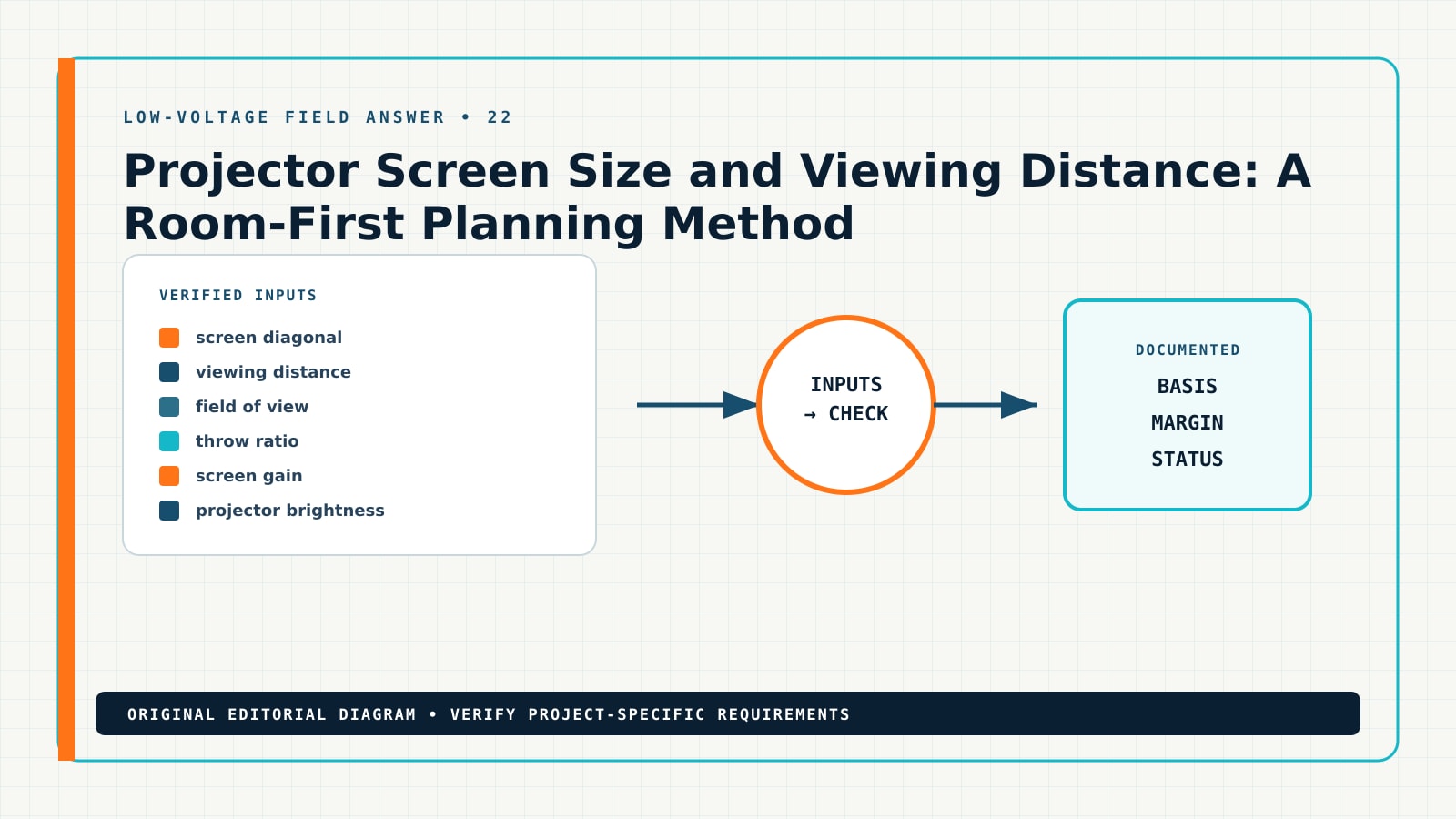
Six inputs that make the answer defensible
The table is an intake map. Replace generic phrases with project facts and cite their origin. When a fact is unavailable, use a field-verification item, allowance, alternate, prerequisite or exclusion; do not silently invent precision.
| Input | Decision to close | Primary record | Status example |
|---|---|---|---|
| screen diagonal | Measure each seating distance and eye height before choosing a diagonal | Theater equipment floor plan | qualified calculation input |
| viewing distance | Compare horizontal image width and viewing angle for primary content formats | Screen/projector/seating section | authority or design-team decision |
| field of view | Check near-seat comfort, far-seat readability, resolution, subtitles, and accessibility | Speaker and subwoofer layout | explicit allowance or exclusion |
| throw ratio | Use the exact projector lens calculator for throw, zoom, offset, lens shift, and mounting envelope | Signal-flow diagram | verified field condition |
| screen gain | Estimate image brightness from calibrated output, image area, screen gain, ambient light, and aging | Rack and cable schedule | manufacturer-confirmed requirement |
| projector brightness | Coordinate structure, power, signal, ventilation, noise, maintenance, shades, lighting, and acceptance scenes | Control-scene and acceptance checklist | customer-approved choice |
The primary record is not the only record. The design succeeds when the same identity can be traced from location to schedule, relationship diagram, quantity, proposal, field change and acceptance evidence. A change to one input should produce a visible impact review rather than an unexplained revision.
Build the answer into the drawing and project record
1. Baseline evidence: Measure each seating distance and eye height before choosing a diagonal
Establish the basis. Start with Room dimensions, seating, viewing positions, display/screen, projector, lens, throw, sightline, and mounting assumptions and preserve the governing source. Record who supplied it, when it was checked, which revision it controls, and why it qualifies as a qualified calculation input. Separate measured facts from selections and allowances.
Make it reproducible. Put the input beside its units, route, device or endpoint identity. Cross-reference the result to Screen / display, the applicable schedule, plan callout, quantity takeoff and scope note so another qualified person can repeat the check.
Test sensitivity and ownership. Review Room shell, dimensions, structure, soffits, ceiling, wall assemblies, windows, doors, finishes, millwork, and access. Identify the limit, margin and failure condition; then assign who must recheck the result if distance, quantity, equipment, topology, operating mode or project criteria change.
2. Plan and schedule: Compare horizontal image width and viewing angle for primary content formats
Establish the basis. Start with Front, center, surround, height, subwoofer, zone, amplifier, processing, acoustical, and calibration relationships and preserve the governing source. Record who supplied it, when it was checked, which revision it controls, and why it qualifies as a authority or design-team decision. Separate measured facts from selections and allowances.
Make it reproducible. Put the input beside its units, route, device or endpoint identity. Cross-reference the result to Seating reference, the applicable schedule, plan callout, quantity takeoff and scope note so another qualified person can repeat the check.
Test sensitivity and ownership. Review Seating rows, risers, sightlines, screen size, projector throw, lens position, image geometry, and service clearance. Identify the limit, margin and failure condition; then assign who must recheck the result if distance, quantity, equipment, topology, operating mode or project criteria change.
3. System relationship: Check near-seat comfort, far-seat readability, resolution, subtitles, and accessibility
Establish the basis. Start with Sources, streaming, gaming, media, switching, transport, control, automation, lighting, shade, and scene requirements and preserve the governing source. Record who supplied it, when it was checked, which revision it controls, and why it qualifies as a explicit allowance or exclusion. Separate measured facts from selections and allowances.
Make it reproducible. Put the input beside its units, route, device or endpoint identity. Cross-reference the result to Speaker layout, the applicable schedule, plan callout, quantity takeoff and scope note so another qualified person can repeat the check.
Test sensitivity and ownership. Review Speaker angles, listening positions, subwoofer strategy, room modes, acoustical treatment, isolation, and qualified analysis. Identify the limit, margin and failure condition; then assign who must recheck the result if distance, quantity, equipment, topology, operating mode or project criteria change.
4. Shared dependency: Use the exact projector lens calculator for throw, zoom, offset, lens shift, and mounting envelope
Establish the basis. Start with Rack/cabinet equipment, power, heat, ventilation, service, networking, Wi-Fi, patching, cable, and future capacity and preserve the governing source. Record who supplied it, when it was checked, which revision it controls, and why it qualifies as a verified field condition. Separate measured facts from selections and allowances.
Make it reproducible. Put the input beside its units, route, device or endpoint identity. Cross-reference the result to AV rack, the applicable schedule, plan callout, quantity takeoff and scope note so another qualified person can repeat the check.
Test sensitivity and ownership. Review Lighting zones, shades, scene control, screen wash, equipment indicators, HVAC noise, ventilation, and user comfort. Identify the limit, margin and failure condition; then assign who must recheck the result if distance, quantity, equipment, topology, operating mode or project criteria change.
5. Commercial consequence: Estimate image brightness from calibrated output, image area, screen gain, ambient light, and aging
Establish the basis. Start with Speaker, subwoofer, display, projector, control, network, audio, video, and power cable routes and terminations and preserve the governing source. Record who supplied it, when it was checked, which revision it controls, and why it qualifies as a manufacturer-confirmed requirement. Separate measured facts from selections and allowances.
Make it reproducible. Put the input beside its units, route, device or endpoint identity. Cross-reference the result to Control and network, the applicable schedule, plan callout, quantity takeoff and scope note so another qualified person can repeat the check.
Test sensitivity and ownership. Review Electrical circuits, surge, UPS, grounding, rack heat, network, internet, streaming accounts, licenses, and remote support. Identify the limit, margin and failure condition; then assign who must recheck the result if distance, quantity, equipment, topology, operating mode or project criteria change.
6. Acceptance evidence: Coordinate structure, power, signal, ventilation, noise, maintenance, shades, lighting, and acceptance scenes
Establish the basis. Start with Finish coordination, construction blocking, conduit, trim, programming, calibration, training, warranties, and closeout files and preserve the governing source. Record who supplied it, when it was checked, which revision it controls, and why it qualifies as a customer-approved choice. Separate measured facts from selections and allowances.
Make it reproducible. Put the input beside its units, route, device or endpoint identity. Cross-reference the result to Screen / display, the applicable schedule, plan callout, quantity takeoff and scope note so another qualified person can repeat the check.
Test sensitivity and ownership. Review Interior design, visible equipment, grille/finish selection, homeowner controls, training, acceptance content, and future upgrades. Identify the limit, margin and failure condition; then assign who must recheck the result if distance, quantity, equipment, topology, operating mode or project criteria change.
Four-stage contractor workflow
Use progressive detail. A sales-stage plan may document purpose, location and open assumptions. A construction or regulated submittal may require product-specific calculations, licensed design, manufacturer documents and authority review. Label the stage honestly so the reader understands what may be relied upon.
- Collect. Define room use, viewers, seating, content, sources, performance expectations, aesthetics, controls, budget, and future plans. For projector screen size and viewing distance, retain the input source, units, formula or test method, margin, pass/fail criterion, responsible party and trigger for recalculation.
- Calculate. Coordinate display or screen geometry, projection, sightlines, speaker and subwoofer intent, acoustics, lighting, and mounting. For projector screen size and viewing distance, retain the input source, units, formula or test method, margin, pass/fail criterion, responsible party and trigger for recalculation.
- Stress-check. Map sources, processing, amplification, control, network, rack, power, ventilation, cable, and room interfaces. For projector screen size and viewing distance, retain the input source, units, formula or test method, margin, pass/fail criterion, responsible party and trigger for recalculation.
- Record. Reconcile equipment, construction prerequisites, accessories, calibration, programming, training, BOM, proposal, and homeowner acceptance. For projector screen size and viewing distance, retain the input source, units, formula or test method, margin, pass/fail criterion, responsible party and trigger for recalculation.
What must remain synchronized
The controlling baseline, Theater equipment floor plan, Screen/projector/seating section, Speaker and subwoofer layout, Signal-flow diagram, quantity basis, proposal scope, field copy, change log and closeout record should describe the same issued decision. If they do not, stop and reconcile them before procurement or installation.
Worked field scenario: media room with 11-foot primary seating distance
Starting condition. a 150-inch screen is selected from wall size while projector throw and viewer comfort are unverified.
Contractor response. The team applies the six decision groups above, assigns stable identities, marks unknowns, connects the focused answer to Electrical circuits, surge, UPS, grounding, rack heat, network, internet, streaming accounts, licenses, and remote support, and issues the affected plan, schedule, relationship and quantity records together.
Outcome. the room-first worksheet narrows viable screen and projector combinations before purchase. The customer can see what is included, what another party must provide, what remains to be verified, and how acceptance will be demonstrated.
Example traceability chain
- Outcome: state the operating result in customer language.
- Evidence: attach the measurement, photograph, survey note, approved selection, product data or authority direction that controls the decision.
- Design: show the location, identity, attributes and system relationship on the appropriate documents.
- Quantity: connect equipment, accessories, cable, pathway, labor, licensing, configuration and testing to the issued revision.
- Acceptance: define the observation, measurement, function, report or approval that closes the requirement.
Common failure modes and how to correct them
| Failure | Why it matters | Corrective action |
|---|---|---|
| the input was assumed but presented as verified | It breaks traceability for screen diagonal and can move risk into estimating, installation or acceptance without an owner. | Measure each seating distance and eye height before choosing a diagonal; then reissue affected records under one revision. |
| the floor plan and schedule use different identities | It breaks traceability for viewing distance and can move risk into estimating, installation or acceptance without an owner. | Compare horizontal image width and viewing angle for primary content formats; then reissue affected records under one revision. |
| a shared pathway, network, power or trade dependency has no owner | It breaks traceability for field of view and can move risk into estimating, installation or acceptance without an owner. | Check near-seat comfort, far-seat readability, resolution, subtitles, and accessibility; then reissue affected records under one revision. |
| the estimate uses a quantity that cannot be traced to an issued drawing | It breaks traceability for throw ratio and can move risk into estimating, installation or acceptance without an owner. | Use the exact projector lens calculator for throw, zoom, offset, lens shift, and mounting envelope; then reissue affected records under one revision. |
| a product-specific limit was replaced with a generic rule of thumb | It breaks traceability for screen gain and can move risk into estimating, installation or acceptance without an owner. | Estimate image brightness from calibrated output, image area, screen gain, ambient light, and aging; then reissue affected records under one revision. |
| the closeout test proves installation but not the required operating outcome | It breaks traceability for projector brightness and can move risk into estimating, installation or acceptance without an owner. | Coordinate structure, power, signal, ventilation, noise, maintenance, shades, lighting, and acceptance scenes; then reissue affected records under one revision. |
Correction is not merely adding another note. Identify the controlling source, update the proper document, propagate the change to dependent quantities and scope, notify responsible parties, and preserve what changed. That is what turns a technically correct answer into a reliable contractor workflow.
Pre-proposal audit checklist
- screen diagonal: verify the value, units and source; reproduce the check; compare it with the applicable limit; and trace its effect into equipment selection, quantities, proposal qualifications and test documentation.
- viewing distance: verify the value, units and source; reproduce the check; compare it with the applicable limit; and trace its effect into equipment selection, quantities, proposal qualifications and test documentation.
- field of view: verify the value, units and source; reproduce the check; compare it with the applicable limit; and trace its effect into equipment selection, quantities, proposal qualifications and test documentation.
- throw ratio: verify the value, units and source; reproduce the check; compare it with the applicable limit; and trace its effect into equipment selection, quantities, proposal qualifications and test documentation.
- screen gain: verify the value, units and source; reproduce the check; compare it with the applicable limit; and trace its effect into equipment selection, quantities, proposal qualifications and test documentation.
- projector brightness: verify the value, units and source; reproduce the check; compare it with the applicable limit; and trace its effect into equipment selection, quantities, proposal qualifications and test documentation.
- Shared infrastructure: name the owner of rooms, racks, pathways, network, power, UPS, grounding, firestopping, accounts, licenses and support.
- Revision: confirm the customer-facing proposal cites the same drawing and schedule revision used for quantities.
- Boundary: distinguish contractor coordination from engineering, permitting, code review, cybersecurity, privacy, accessibility and authority approval.
- Acceptance: describe what will be observed, measured, demonstrated, documented and approved—not only that equipment will be installed.
If any answer is missing, assign it. A named open item is manageable; an invisible assumption is not. Use alternates when the customer must choose between documented approaches, allowances when quantity or condition cannot yet be verified, and exclusions only when the boundary is explicit and commercially understood.
Turn the answer into customer-readable scope
A professional proposal should cite the project and revision, summarize the outcome, list included deliverables, explain major quantities, identify infrastructure and third-party dependencies, state assumptions, distinguish owner-furnished items, and define tests and closeout. It should not paste this article or bury technical uncertainty in fine print.
Write inclusions around work products: survey verification, plan updates, equipment and accessory schedules, cable and pathway scope, configuration, programming, testing, training, as-builts and support. Write exclusions around clear responsibility boundaries. If a dependency could stop the system from working—such as internet, VLANs, door hardware, power, structure, permits or manufacturer services—place it near the related scope and assign an owner.
Continue through the Residential AV & Smart Home topic cluster
This page answers one focused question. Use the connected resources to move from the immediate answer into the complete design, documentation and commercial workflow.
- Home Theater Design Software for AV Installers — the canonical software and workflow page for this industry.
- Home Theater Speaker Placement Plan for 5.1, 7.1 and Immersive Audio — the paired field answer for the next common decision.
- screen, projector, and speaker placement guide — related implementation guidance already maintained in this publication.
- home-theater rack and cable guide — related implementation guidance already maintained in this publication.
- AV signal-flow guide — related implementation guidance already maintained in this publication.
- Low-voltage design software by industry — compare all 22 specialist workflows.
- Low-voltage design disciplines — choose the technical documents and interfaces behind the system.
Authoritative references and verification boundary
Use current editions, adopted requirements, approved submittals and exact manufacturer instructions for the actual project. The sources below provide useful primary context, but no public article can decide project-specific licensing, engineering responsibility, code compliance, cybersecurity, privacy, accessibility, product compatibility or authority acceptance.
- Epson Projector Buying Guide.
- Dolby Speaker Setup Guides — immersive-audio speaker layout context.
- CEDIA Standards — residential technology standards and best practices.
- AVIXA AV Glossary — audiovisual terminology.
Frequently asked questions
What is the fastest reliable way to start projector screen size and viewing distance?
Start by writing the operating outcome and collecting the evidence that controls it. Build the IDs and schedule before drawing anonymous symbols. Mark every important input as verified, selected, assumed, excluded or assigned, then connect it to a plan, relationship diagram, quantity and acceptance check.
What should be included in the project record?
At minimum, preserve the verified baseline, stable identities, the six decision groups on this page, shared infrastructure and responsibilities, product-specific requirements, quantity basis, revision status, test evidence and closeout updates. The exact set depends on the contract, system risk and responsible designer.
Can a generic rule of thumb replace manufacturer or code requirements?
No. Rules of thumb may help compare early options, but final decisions must use the adopted requirements, approved equipment data, actual route or geometry, responsible professional review and authority process that apply to the project.
How should this answer affect a proposal?
Turn unresolved facts into named qualifications rather than hidden risk. Include the controlling drawing revision, traceable quantities, responsibilities, prerequisites, allowances, alternatives, exclusions, testing and acceptance. When the design changes, issue the quantity and commercial impact together.
What should I read next?
Open Home Theater Speaker Placement Plan for 5.1, 7.1 and Immersive Audio for the paired industry problem, then use the canonical Residential AV & Smart Home workflow page to connect the answer to a complete plan, proposal and field handoff.